01
Command Center
Start with a single view of your net worth, available cash, cash flow, upcoming obligations, forecast, budget, savings and debt priorities.
POSITIONToday
→OUTLOOKNext

Coming soon • Personal financial planning software
Fiscal Station HQ connects your accounts, transactions, budget, bills, paychecks, savings and debt strategy in one focused financial Command Center.
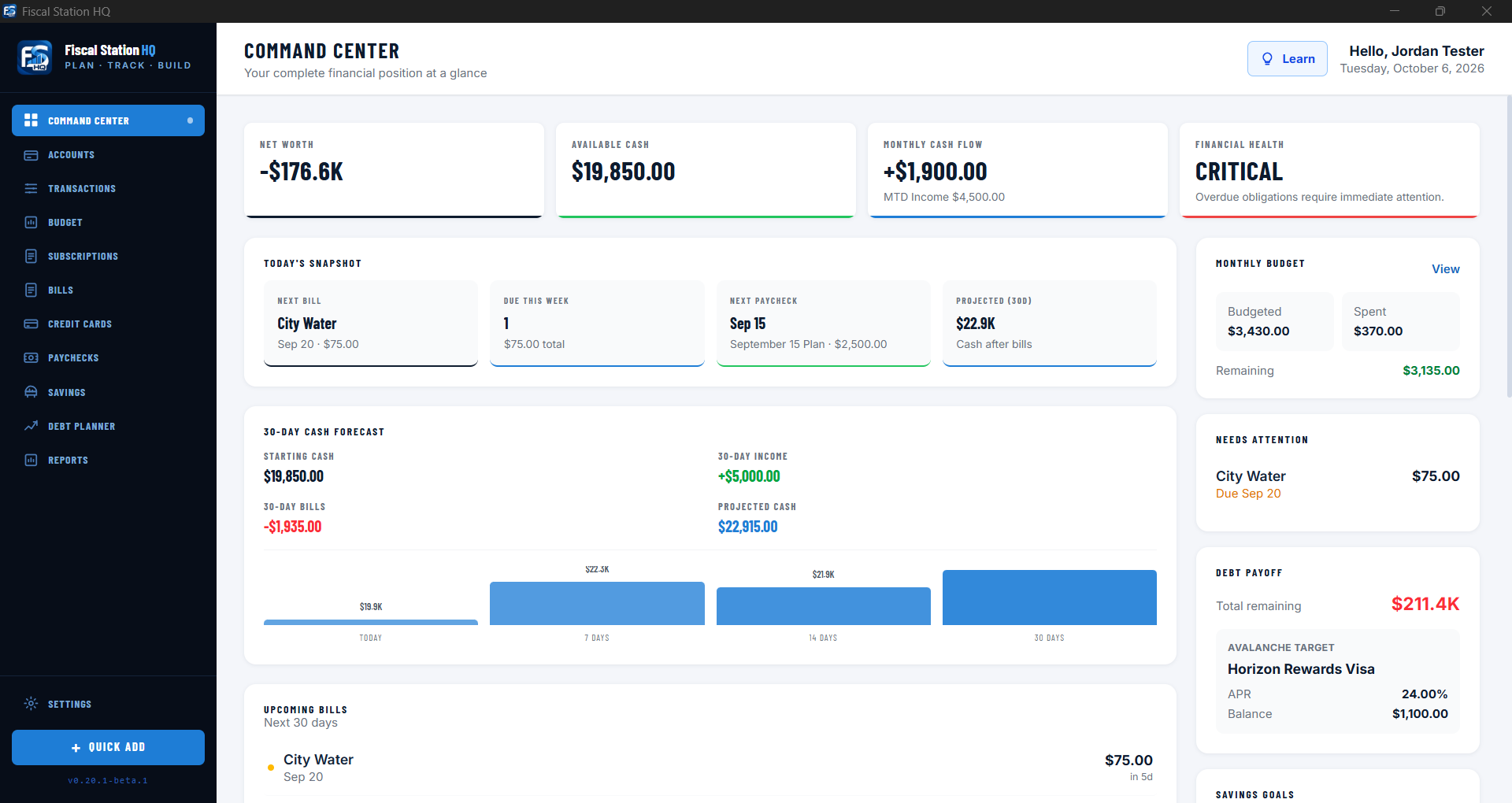
Actual Fiscal Station HQ interface shown with fictional demonstration data.
Your financial operating picture
Many financial tools tell you only where your money went. Fiscal Station HQ helps you see where you stand now, what is already committed, and how today’s decisions affect the road ahead.
Organize the details without losing sight of the bigger picture.
See it in action
Every major part of the application works together. Select any screenshot to inspect the real desktop interface.
Learn as you go
Turn on Learn as You Go for page-specific explanations that help make financial terminology and features easier to understand—without interrupting your workflow.
Connected financial planning
Start with a single view of your net worth, available cash, cash flow, upcoming obligations, forecast, budget, savings and debt priorities.
Record the activity behind your plan, import CSV files, build reusable transaction rules and undo import batches when needed.
Create flexible spending plans with personalized subcategories while tracking fixed and variable obligations.
Assign expected income intentionally and catch over-allocation before it creates a problem.
Track multiple priorities, record activity, and decide how much of an existing balance belongs to each goal.
Compare avalanche and snowball methods, add extra payments and see the payoff path month by month.
Review trends and look ahead using the information already connected across your financial plan.
Local-first by design
Fiscal Station HQ is downloadable desktop software. Its core financial data stays on your computer, and its core planning tools do not require a hosted financial-data backend or a bank connection.
Optional services such as licensing, software downloads, or user-enabled sync may require internet access and are governed by their applicable terms.
Use the core planning tools without keeping a constant internet connection.
Your working financial records are stored locally on your device.
Build a useful financial plan without granting the application access to your bank.
Questions
Fiscal Station HQ is personal financial planning software that brings accounts, transactions, budgeting, bills, subscriptions, paycheck planning, savings, credit cards, debt strategy and reporting into one connected desktop application.
Fiscal Station HQ is completing its release preparation and installer signing for Windows and macOS. Join the launch list to be notified when purchasing and downloads become available.
A bank connection is not required. You can enter information manually and import supported CSV transaction files while retaining control of your working data.
The core application is local-first and designed to work without a constant internet connection. Licensing, downloads and optional user-enabled online features may require internet access.
Fiscal Station HQ is being prepared for Windows and macOS. When released, customers will choose the correct installer variant for their computer.
Eligible updates will be available from the order-access page provided after purchase. Updated installers are designed to apply over the existing Fiscal Station HQ installation while preserving supported local application data. Availability depends on the terms of the purchased license.
No. Fiscal Station HQ is an organizational and planning tool. It does not provide financial, investment, tax, accounting, credit or legal advice.
Coming soon • Plan • Track • Build
Fiscal Station HQ is completing its signed Windows and macOS release. Join the launch list for availability, purchasing and download updates. Questions in the meantime? We’re here to help.
Fiscal Station HQ launch list
Get an email when signed Windows and macOS downloads are ready, plus important launch updates.